Most folks look online first before picking a place to visit these days. In this blog you can learn how to rank your local business no.1 on google maps running a small store or new company means being seen there matters more than ever. show up higher on google Maps? more people walk through your door.
That also often leads to extra income over time. here’s how to adjust your setup so search engines notice you locally. follow methods tested against Yoast’s standards for better results. reaching nearby customers gets easier when done right.
Local SEO explained simply?
Most people look up shops or services close to where they are. When that happens, search engines try to show results from the same area. A bakery might appear if someone types in a request like “good cake shop nearby.” Places in Rajkot come up first when users ask about plumbers there. Online visibility matters because it helps customers find you without trouble.
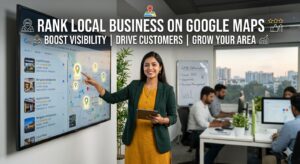
Top spot in google maps puts your business inside the local pack – just three spots sit above the rest, tagged beside a map. Appearing first? That lands you right in that group of three, front and center with location details visible. The prime position shows up before regular search results, tied closely to where people are looking. Being number one means more eyes see your name when nearby searches happen. Visibility like that comes only to those ranked at the very top. Your listing stands out simply by being first.
Local SEO helps small businesses get found nearby
Most small shops depend on people nearby buying their stuff. That’s where showing up online matters – especially when folks search locally
Beside the map pin, your shop shows up as people look around. Nearby searches bring your name into view.
Most people figure a high spot means solid work. A strong position often hints at dependability.
Most people who search locally act fast – picking up the phone or stopping by right away.
How to get top spot on Google Maps
1. Create and improve your Google Business listing
Start by creating your Google Business Profile – once called Google My Business.
Optimization Tips:
Use your exact business name (avoid keyword stuffing)
Choose the right type of work you do
Start off by including a precise location, followed by a correct contact line along with an online destination that reflects current details
Upload high-quality images
Write a keyword-rich business description
Start strong by matching your company info across every web spot. One slip here weakens trust there. Stay sharp – same name, same number, always. Slip up once, customers doubt twice. Accuracy builds quiet confidence. Repeat correctly, again and again.
2. Include location based search terms
Keyword research is essential for SEO success. Focus on:
“Near me” searches
Location-based keywords (e.g., “cake shop in Rajkot”)
Service-specific keywords
Use tools like Google Keyword Planner to identify high-volume search terms.
These terms need to fit in smoothly
Website content
Headlines up top, little blurbs beneath them
Blog posts
3. Improve website visibility for local search results
Your website should be fully optimized according to Yoast SEO guidelines:
Use SEO-friendly URLs
Add meta titles and descriptions
Maintain keyword density (not overstuffed)
Ensure mobile responsiveness
Improve page loading speed
Put your company’s address along with phone and email on each webpage – best placed at the bottom. That way it stays visible wherever someone lands.
4. collect customer reviews and manage them
Google Maps rankings often depend on reviews. What shows up first? Usually places with more feedback. People talk, the algorithm listens. A handful of comments can shift visibility. Word spreads. Results change. That is how it works.
Best Practices:
Ask satisfied customers to leave reviews
Respond to all reviews (positive and negative)
Use keywords in responses naturally
When people see lots of positive feedback, they tend to trust you more. Your position in search results rises as scores climb. Good marks add weight over time. The more voices that speak up, the stronger your presence feels. Seen often? That helps too.
5. Build Local Citations
Online, whenever someone types your business name along with its location and contact number, that counts as a reference.
Beside each search engine. Among local directories too. Even within industry guides found online. Near customer review sites as well
Local directories
Business listing websites
Social media platforms
Start strong by matching your business name, address, and phone number everywhere online. When details stay the same on every site, search engines see you as more reliable.
6. Add Location-Based Content
Stories shared online can boost local search results. Sometimes, helpful posts draw more eyes than ads ever could.
Blog posts get written in various ways
“Best Restaurants in Rajkot”
“Top Services Near You”
Google uses this to see how connected you are to one place.
7. Embed Google Maps
A pin dropped right where you are – visible on your site’s contact section. It quietly tells visitors they’ve found the real spot, not just any address. When people see that map live there, trust builds without a word spoken. Your place shows up exactly as it does in their search results. Simple. Clear. Where you stand is where they click.
8. Mobile Friendly Design
Most local searches happen on mobile devices. Ensure your website:
Loads quickly
Has easy navigation
Uses click-to-call buttons
Mobile optimization is a key ranking factor.
9. Get Links from Nearby Sites
A thumbs-up from another site? That’s what backlinks are like. They quietly say people trust your page.
Look into grabbing connections from:
Local blogs
News websites
Business associations
Quality matters more than quantity.
10. Use Schema Markup
When you add schema markup, search engines grasp what your business is about more clearly.
Add local business schema to:
Show location details along with customer feedback and score averages
Improve search visibility
A helpful tool might make things easier. One option works well with your site. It guides you step by step. Some people choose this path. The plugin adjusts as you go. Following along feels natural. Progress shows clearly.
Common Mistakes to Avoid
Inconsistent business information
Ignoring customer reviews
Keyword stuffing
Business hours stay unchanged without updates
Using low-quality images
Skipping these errors might just tilt the odds in your favor when climbing up the rankings.
Final Thoughts
Getting noticed first on Google Maps takes time – no shortcuts here. Still, steady work pays off when done right. Tweak your profile until it fits like a glove. Think locally when picking search terms people might type. Stay active with those who visit, reply fast, listen close. Yoast’s moves aren’t rules, yet they help more than most expect.
Small businesses often find success without spending much, thanks to local search tricks that work well. Try these steps one by one, then watch how things shift over time.